


October 18, 2026
8 min read
The wider insight gap is clear: only 49% of business leaders say they can reliably generate timely insights.
That finding comes from Salesforce’s State of Data and Analytics research, not a HubSpot customer benchmark.
A report that loads quickly still falls short if leaders need an export before they believe it.
Trust starts before anyone adds a chart. Sales, finance, and RevOps must agree on what counts, when it counts, and which source takes priority.
Why Leaders Stop Trusting the HubSpot Dashboard
A dashboard loses trust when people cannot explain its numbers. The first warning is a meeting that stops while someone checks a total.
The Three Symptoms of a Distrusted Dashboard
Look for these signs:
- Challenged numbers: A leader questions a total, and the answer is always “let me check”.
- Private spreadsheets: Each department trusts its own revenue view more than the portal.
- Stale reports: Nobody can explain a filter, name the owner, or find the latest change record.
An incoming CRO encounters this quickly. CRM reporting must answer revenue questions without relying on the person who built each report.
The pressure lands on the HubSpot owner, though the cause can sit outside their control. They can have built exactly what each team requested. Those teams used the same words to mean different things.
Trust is a Governance Problem, Not a Chart Problem
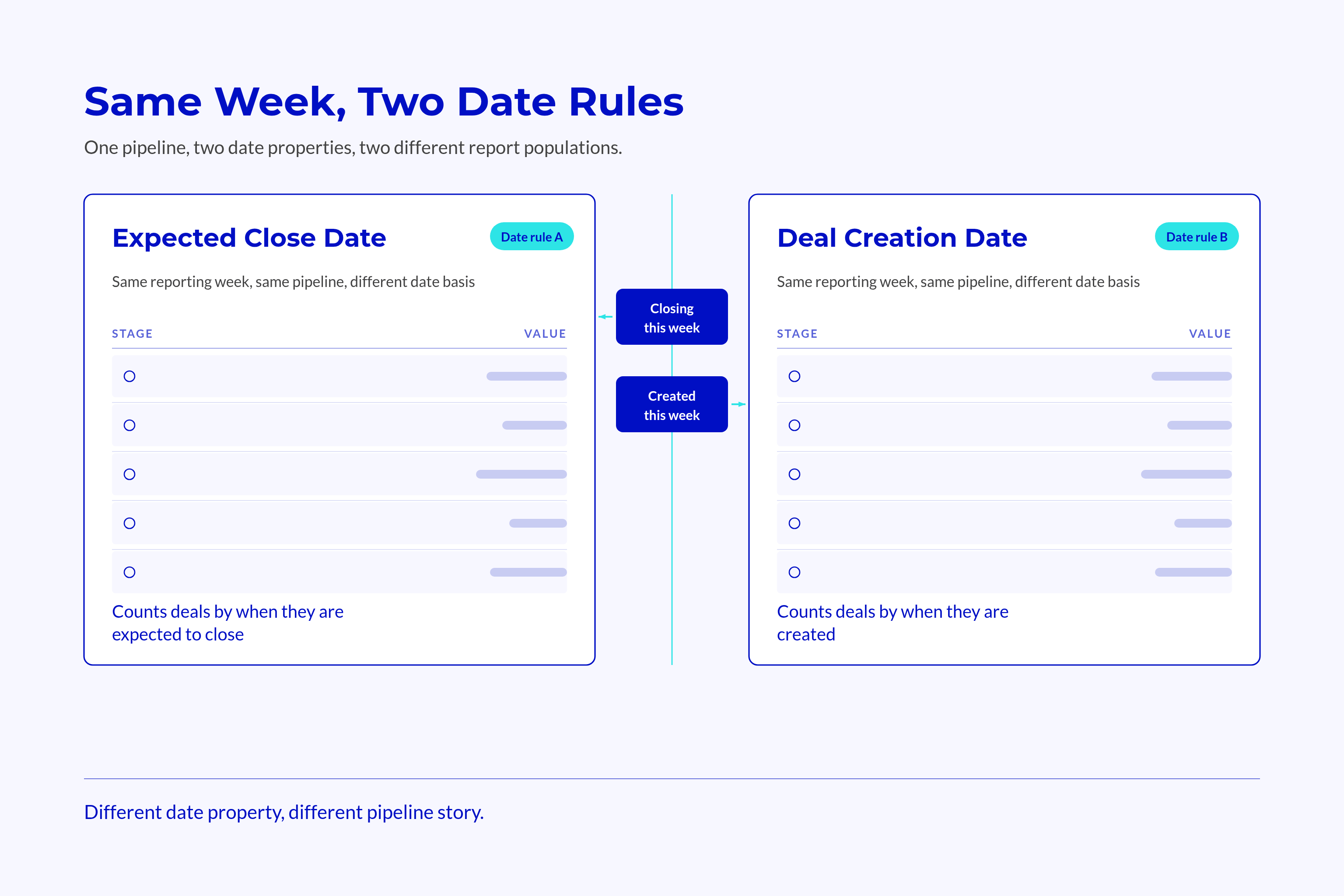
Pipeline totals can differ because reports use different dates, records, or exclusions. A new chart type leaves those rules unchanged.
📊 Fact
Openprise’s State of RevOps survey reports that 71% of teams say poor data quality hurts go-to-market execution.
This broad survey finding is not a measure of HubSpot dashboard use. It points to a related risk: charts cannot fix poor source data.
A quick diagnosis:
- Can someone name the person accountable for the number?
- Can they explain the last comparison with finance?
- Can they identify the filters and excluded records?
If those answers are missing, review the reporting agreement with sales, finance, and RevOps before drawing conclusions about the cause.
Each metric needs a definition, a date basis, an agreed source, and someone responsible for checking it. A monthly comparison with finance tests whether those rules still hold.
Start with KPI Definitions, Not Widgets
“Revenue”, “customer”, and “active” sound clear until someone applies them to records. Define what each term includes and excludes before choosing properties or building reports.
Write the Definition Before the Property
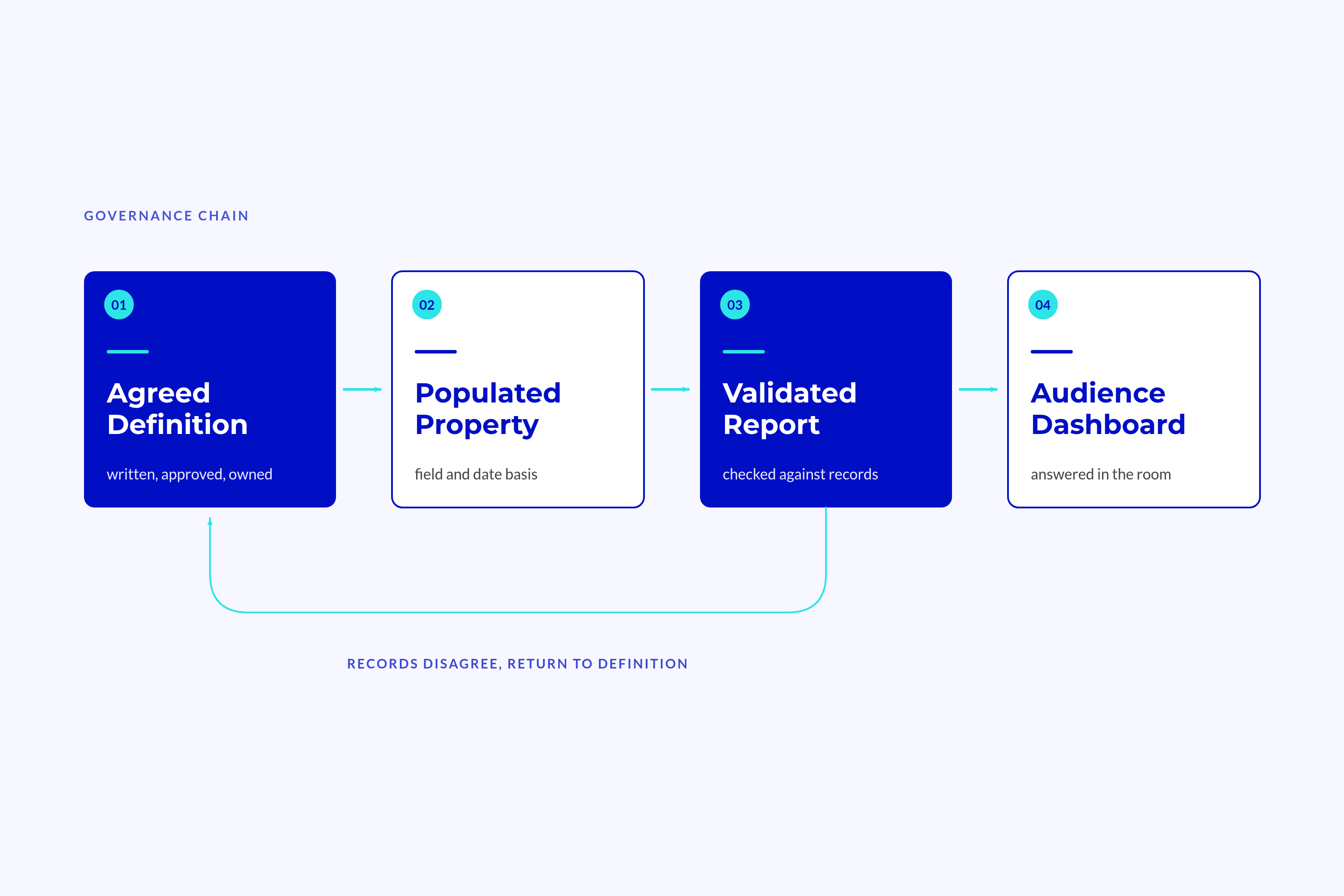
Start with the business question and write the rule in plain language. Then name the field, source, period, owner, and approver.
Test whether two people can apply that rule to the same five records and agree.
Record matching deserves the same care as metric wording. LeanData and LXA found that 32% of respondents reported duplicate or mismatched lead-to-account records. Their sample covered senior enterprise B2B leaders, not HubSpot users specifically.
Lock these definitions:
- Revenue
- Include the value allowed by the named metric and timing rule.
- Exclude pipeline and forecast from actual revenue.
- Customer
- Include the agreed account unit, such as a parent company with a live contract.
- Exclude prospects, test records, and duplicate billing entities.
- Active Customer
- Include accounts that meet the stated contract or activity rule.
- Exclude expired contracts unless another written rule applies.
- Period
- Include the fiscal dates and cut-off finance approves.
- Exclude calendar periods when they differ from that basis.
- Owner
- Name the person accountable for the metric.
- Avoid vague assignments such as “sales” or “the team”.
Consider a customer count based on past sales. It includes more companies than a count based on live contracts. Both can carry the label “customers”, but they answer different questions.
The data dictionary records the agreed meaning, property, source, date basis, owner, backup, version, and review date. A shared table is enough if RevOps, finance, and the revenue leader approve it.
Build from that agreement: definition, property, report, dashboard.
Get Revenue Timing Right
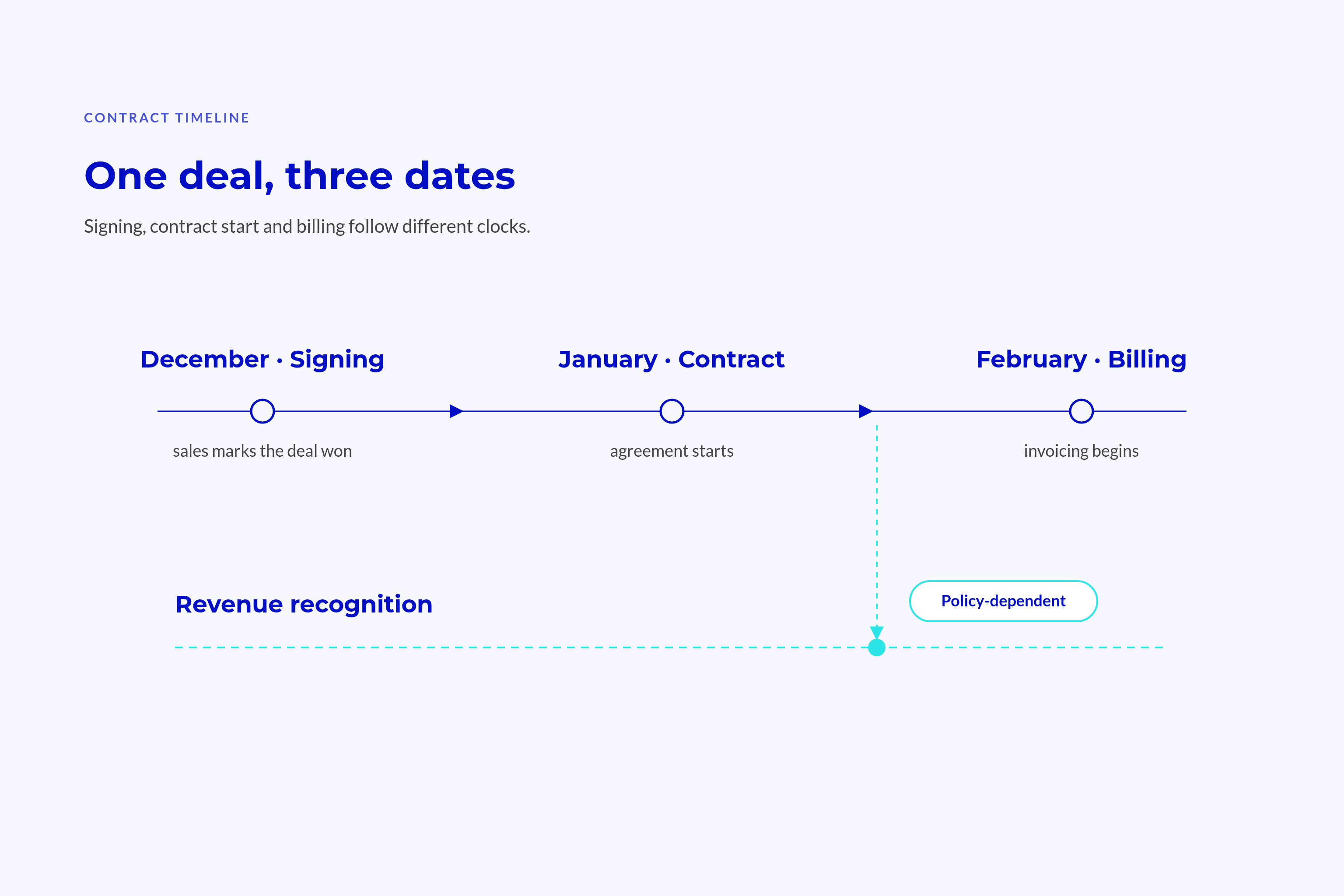
Closed won records a sales outcome. It does not, by itself, show when finance books, invoices, or recognises that value.
Keep these dates distinct:
| Date | Question It Answers |
|---|---|
| Close date | When did sales mark the deal won? |
| Contract start | When does the agreement begin? |
| Billing start | When does invoicing begin? |
| Recognition start | When does finance begin recognising revenue? |
In an illustrative deal, signing happens in December, the contract starts in January, and billing begins in February. Recognition follows the accounting policy finance applies. These events need not fall in the same reporting period.
Value needs a separate rule:
- Total contract value covers the full agreed term.
- Annual recurring value covers recurring value for a year.
- One-off fees stay separate from recurring charges.
For example, a 36-month contract at €12,000 annually has €36,000 in total value. Its annual recurring value remains €12,000. Neither figure automatically equals recognised revenue for the current year.
HubSpot’s default deal property documentation distinguishes Amount from recurring values calculated through line items. The field label alone does not define what your business should put there.
The default finance view should use the approved accounting period and metric. The sales view should use close date and a clear sales label, with the underlying dates available in the record detail.
Month-end credits, prepayments, and mid-period starts need written exception rules rather than quiet spreadsheet fixes.
Set Source Rules for Every Field on the Dashboard
A CRM and a ledger can both be correct while reporting different things. Source rules identify which value governs each decision, rather than treating one system as right for every purpose.
HubSpot as System of Record, Finance as System of Truth
A system of record stores and maintains a record. An authoritative source supplies the value that a given metric must use.
HubSpot can hold the commercial history: who bought, what they agreed to, and who manages the account. Finance can remain the authority for ledger entries and recognised revenue. These roles allow both systems to serve their purpose.
A contract value answers a commercial question, while recognised revenue answers an accounting question. Neither should overwrite the other because both carry a revenue label.
💡 Insight
Agreement with finance does not mean every total must match. It means each difference has a clear reason tied to the metric.
Field-Level Source and Override Rules
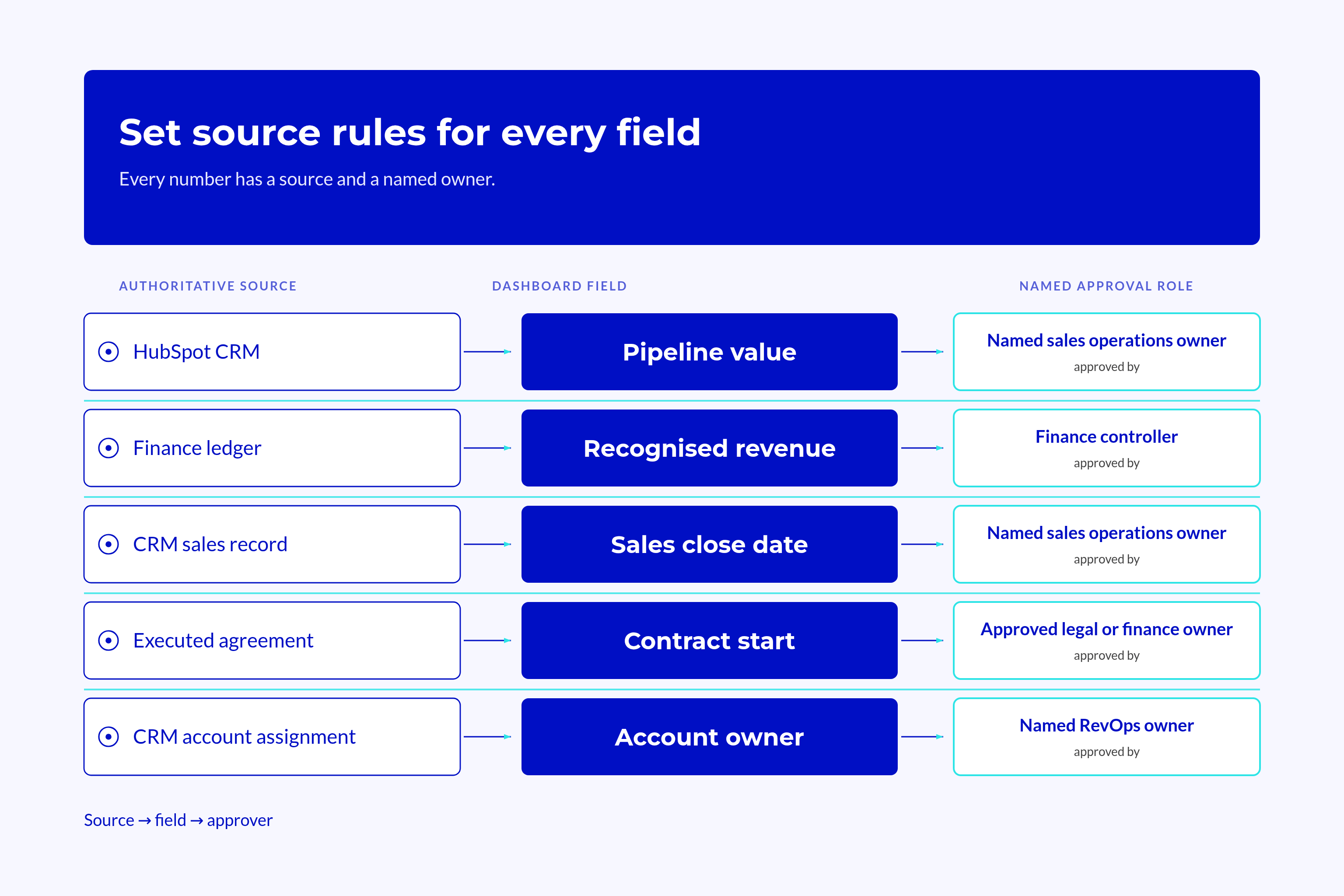
An illustrative field map makes those choices explicit:
| Field Or Metric | Authoritative Source | Override Authority |
|---|---|---|
| Pipeline value | Approved CRM commercial fields | Named sales operations owner |
| Recognised revenue | Finance ledger | Finance controller |
| Sales close date | CRM sales record | Named sales operations owner |
| Contract start | Executed agreement | Approved legal or finance owner |
| Account owner | CRM account assignment | Named RevOps owner |
These roles are recommendations, not fixed assignments. Use actual names in the operating agreement.
Overrides need limits:
- Record the decision:
- Store the reason and supporting evidence.
- Name the approver and effective date.
- Protect the reported number:
- State whether the override expires.
- Record any effect on past periods.
Source rules belong within data quality governance, where teams can find and maintain them. Review them when teams or integrations change, rather than leaving them in a project slide.
When values conflict, the metric owner compares records with their finance counterpart. They apply the agreed rule before changing either source.
Mark unexplained differences “under review”, with a named person and due date. This gives the issue a path to resolution instead of leaving a warning nobody owns.
Assign Ownership and Reconciliation Rituals
A report can work at launch and drift as fields, filters, and teams change. Named owners and a monthly finance check keep the reporting agreement current.
One Named Owner Per Metric
Give every metric an accountable person and a named backup. The owner must explain the definition, timing, source, and finance comparison, even when someone else builds the report.
Admin access grants permission to edit; it does not assign responsibility for the number.
The ownership record should state:
- Who approves the definition.
- Who investigates a disputed total.
- Who maintains the report.
- Who acts when the accountable owner is absent.
Without a named owner, teams can assume someone else checks the number. A backup keeps the routine running through leave and staff changes.
Settle these roles before adding automated summaries. Salesforce’s State of Sales reports that 74% of sales teams with AI prioritise data hygiene. An agent cannot settle a definition that revenue leaders have never agreed on.
💡 Tip
The metric owner should be able to explain the number without needing permission to edit the dashboard.
The Monthly Reconciliation with Finance
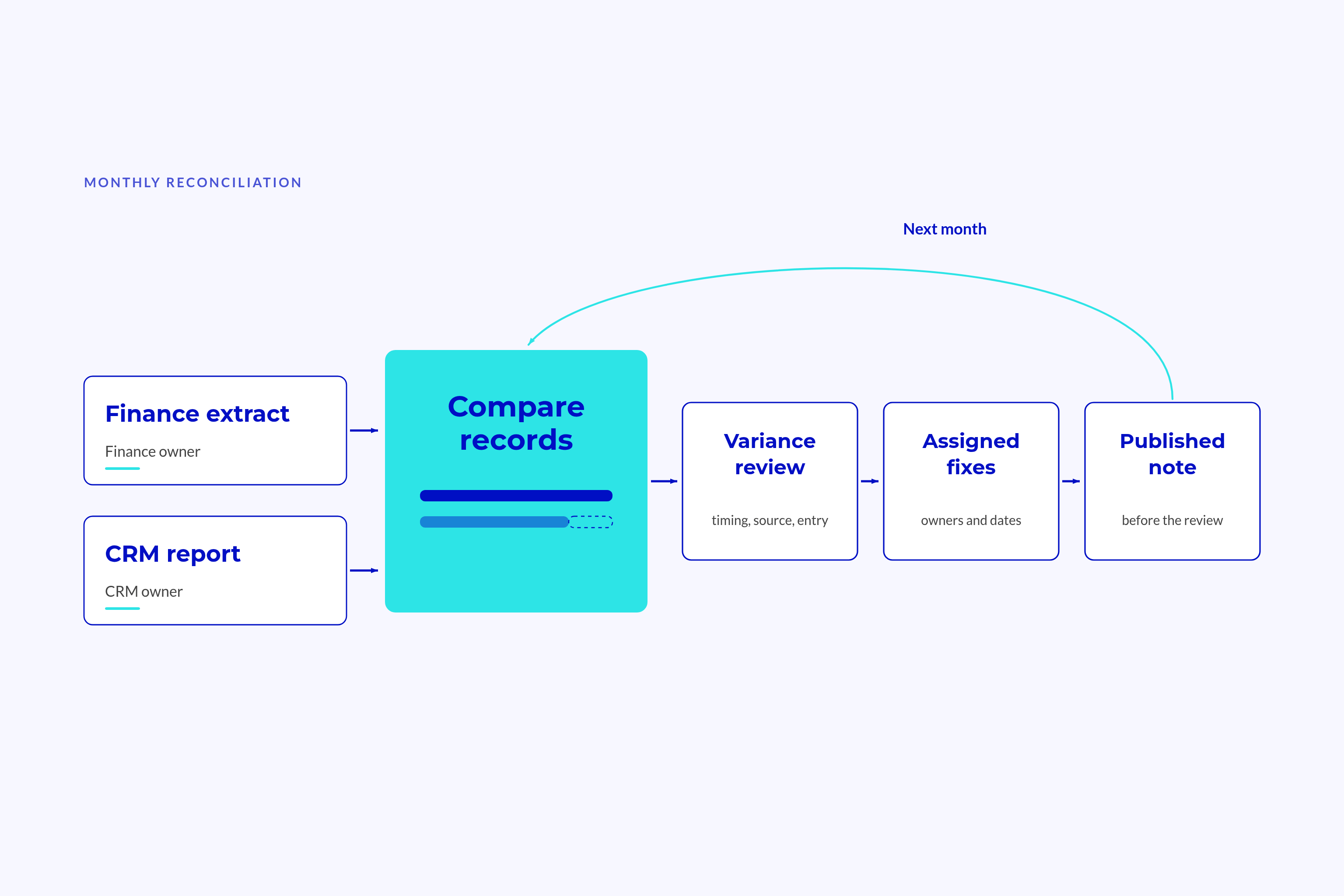
As an operating recommendation, schedule an hour within five working days of the period close. Finance supplies its period extract, and RevOps prepares the dashboard report for the same metric and period.
Keep the agenda fixed:
- Confirm the metric, period, cut-off, and currency basis.
- Compare the CRM total with the relevant finance total.
- Inspect record-level differences.
- Classify timing, source, definition, entry, and integration issues.
- Assign fixes, owners, and dates.
- Publish the reconciliation note before the executive review.
The note records both totals, the variance, its causes, and unresolved items. A timing difference that finance approves needs different treatment from an unexplained missing record.
Change control protects the next comparison:
- Before a change:
- Name the affected metrics and effective date.
- Obtain owner approval and finance approval where revenue changes.
- After a change:
- Test the same records against the revised rule.
- Restate history or explain the break.
A property rename can also involve a change in meaning. If so, treat it as a version change rather than a cosmetic edit. Tell dashboard users before the new rule takes effect.
Keep the change log accessible from the dashboard, with its date, reason, approver, and treatment of past periods. A linked document works if readers can find it without asking the builder.
Build the HubSpot Dashboard in the Right Order
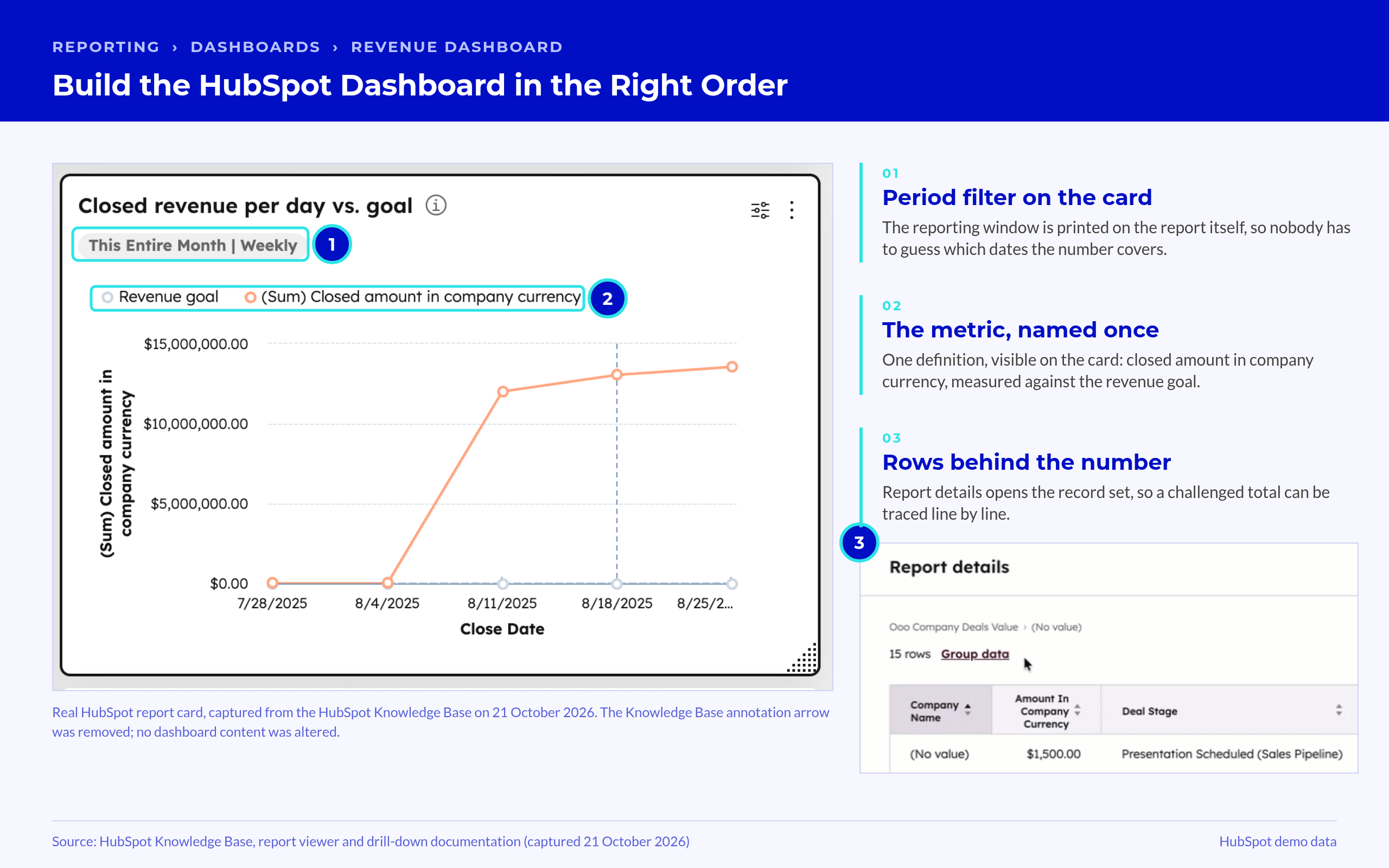
Only validated reports belong in the executive view. Each must answer a clear question, use an approved definition, and trace back to source records.
Reports First, Dashboard Second
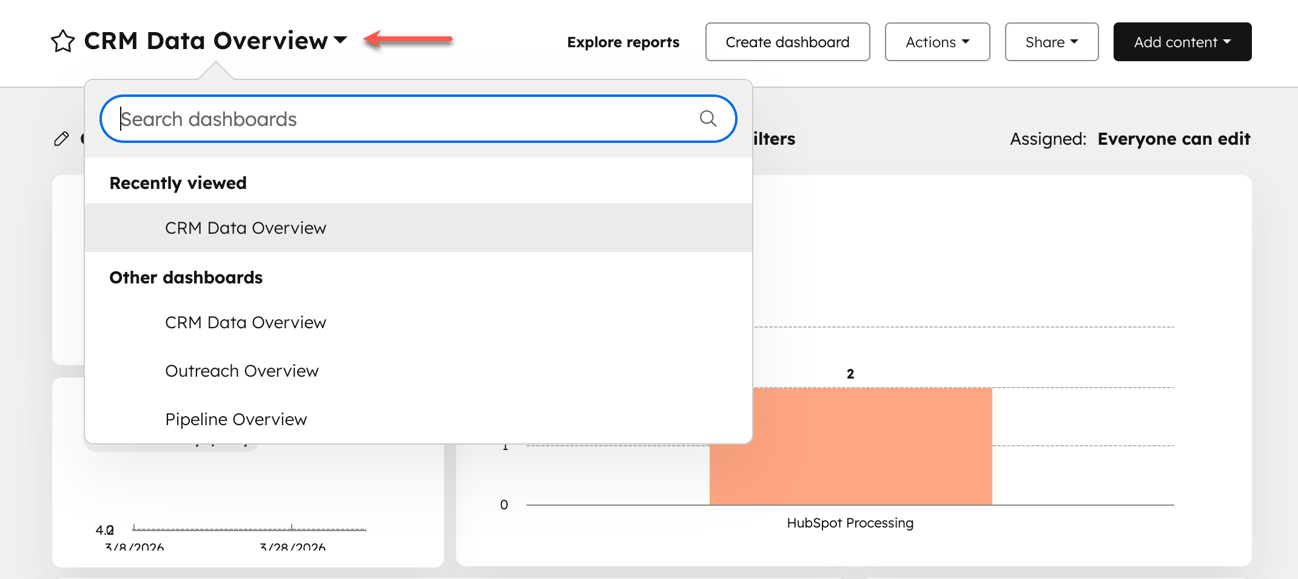
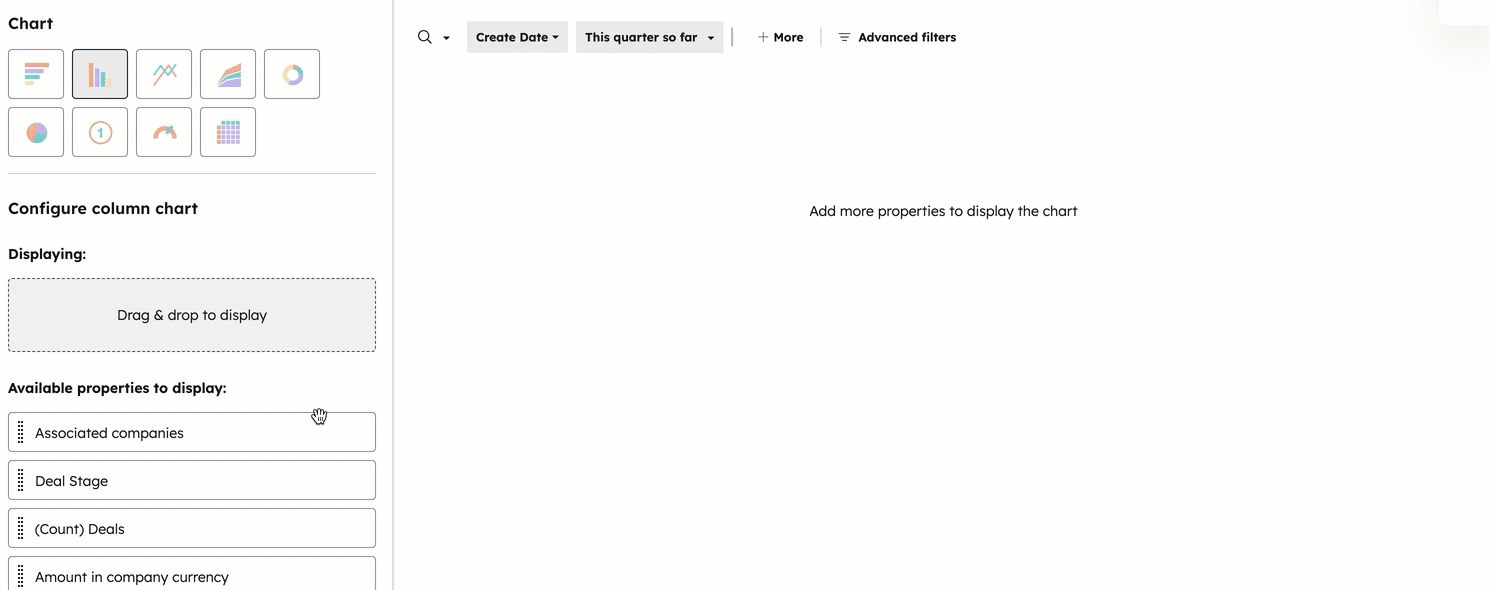
A report queries data; a dashboard arranges reports for an audience. A neat layout cannot fix a query that excludes the wrong records.
Use this build sequence:
- State the revenue question.
- Confirm the definition, fields, sources, and dates.
- Build the report.
- Compare its output with source records.
- Add the validated report to the dashboard.
- Test filters and access from the audience’s view.
HubSpot’s custom report builder documentation explains how source selection affects which records appear. Associations can also change counts and sums, so check both rather than relying on a correct deal count.
A distinct deal count does not prove the revenue total is correct.
Match the report to the question:
- Use a deals report for closed-won value by the stated date.
- Use funnel reporting for movement through agreed stages.
- Use attribution reporting for qualifying marketing influence.
- Use recurring revenue analytics after checking its property-maintenance rules.
- Use activity reporting for calls and meetings, not as a substitute for revenue.
Recurring revenue analytics uses its own properties rather than reading quote or product totals. Check which fields feed the report before trusting its label.
Keep plan, forecast, and actual separate. A plan states the target, a forecast states the expectation, and an actual records the outcome.
Test Whether the Dashboard is Decision-Ready
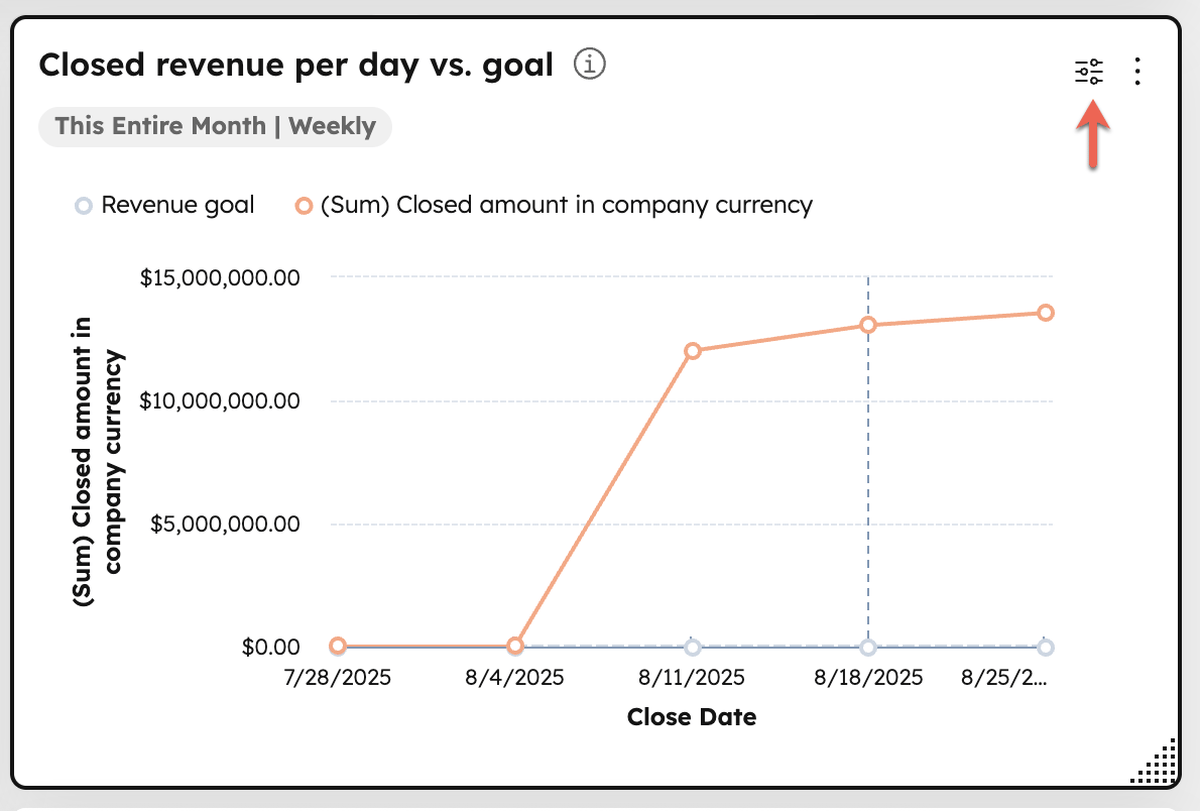
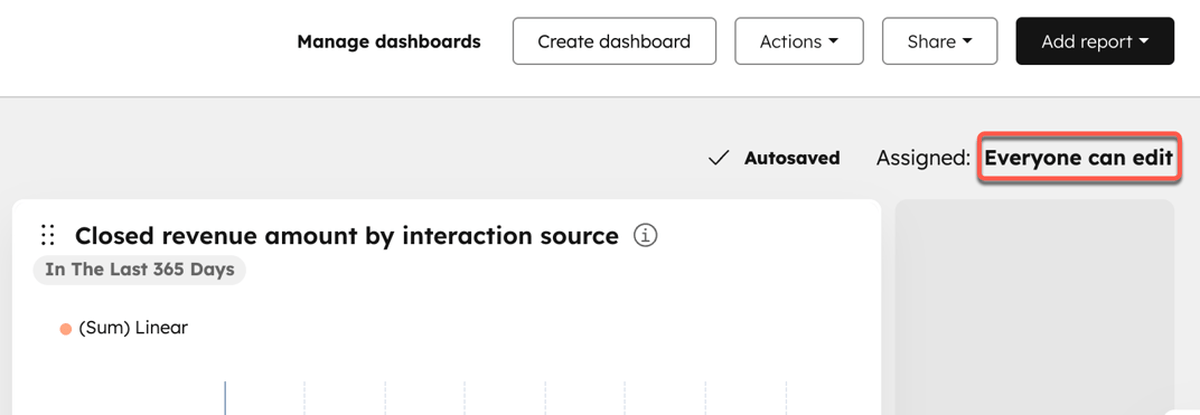
The executive view needs headline outcomes, status, definitions, and the last reconciliation date. Operators need record detail and the causes behind changes.
An ABM dashboard follows the same audience-specific reporting principle. Account-level questions should not crowd the executive revenue view.
Permissions and filters need a separate check. Test the dashboard as a non-admin, confirm each report’s date basis, and compare dashboard and standalone report views.
Filters cannot affect every tile in the same way. Upstream sync, report refresh, and reporting cut-off also refer to different moments. Show these separately so readers know how current each number is. HubSpot’s October 2026 release adds an optional dashboard cache of five minutes to seven days, with a Last updated timestamp and manual refresh, off by default. Turn it on deliberately, and check that timestamp before quoting a number.
The seven-question trust test:
- Can we explain what the metric includes and excludes?
- Can we name its authoritative source?
- Can we identify the date that places it in this period?
- Can we name its owner and backup?
- Can we explain the latest finance reconciliation?
- Can we identify applied filters and exclusions?
- Can we reach the underlying record list in two clicks?
As an operating recommendation, require seven “yes” answers for full readiness. Five or six means conditional use with named fixes; four or fewer means it is not ready.
After 90 days, judge success by how leaders use the numbers, not by the dashboard layout. Leaders get answers during meetings, finance differences have explanations, and private spreadsheets no longer serve as rival revenue records.
Frequently Asked Questions
A dashboard’s layout does not explain why its revenue total differs from the ledger. That requires clear metric rules and people who can apply them to records.
Why Does My HubSpot Dashboard Differ From Finance?
The reports can use different definitions, dates, or source fields. A closed-won total measures a sales outcome, while finance can show invoiced or recognised revenue. Compare the same metric and period before correcting anything.
Trace the difference to records and apply the agreed source rule, rather than forcing totals to match.
Who Should Own a Revenue Dashboard?
Each metric needs a named accountable owner and a backup. The portal admin can maintain reports without owning the revenue definition.
Finance should approve accounting measures and timing rules, while RevOps coordinates source mapping and report checks. The metric owner explains the number, manages exceptions, and keeps the monthly reconciliation running.
Conclusion
Leaders can trust a HubSpot revenue number when they know what it measures, which period it covers, and where it comes from. A named owner and a current finance comparison give them a way to resolve questions during the meeting.
That trust needs maintenance as contracts, fields, and teams change. Monthly reconciliation and a visible change log preserve the reasons behind the numbers, even after the original report builder leaves.
Key Takeaways
- Metric definitions establish what each report includes and excludes.
- Sales close dates, contract timing, billing, and revenue recognition answer different questions.
- Field-level source and override rules govern which values take priority.
- Named owners, backups, and recurring finance checks keep metrics accountable.
- Validated reports, tested filters, correct access, and traceable records make the dashboard ready for decisions.